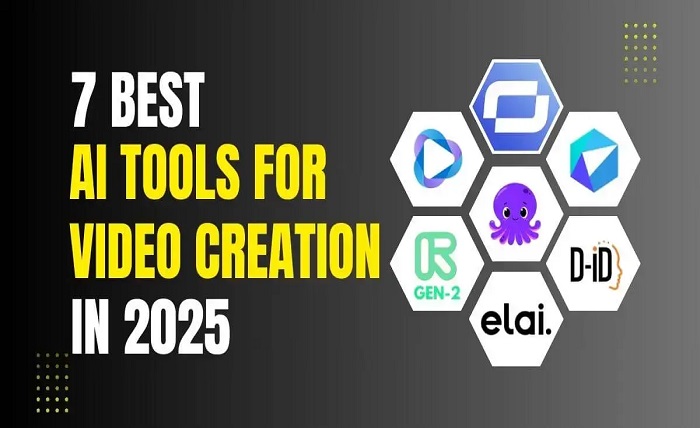
If you’re a creator, marketer, or an owner of a new company who aims to develop high-quality content in no time, the use of AI tools has become a necessity. As of November 2025, I have ranked the top AI tools meant for digital creators based on my extensive testing of tools such as AI image editor with prompt free, video generators, and interactive AI tools. In this blog, I highlight the top tools based on their pros and cons and guide you on which tools are best for each case.
If you are looking for free AI photo editing tools with prompts or Magic Hour AI Talking Photo tools, you will surely find at least one of the recommended platforms to your liking.
Best AI Image and Video Tools At a Glance
| Tool | Use Case | Modalities | Platforms | Free Plan | Best For |
| Magic Hour | AI video & photo animation | Talking photo, avatar, video | Web, Mobile | Yes | Animated content, interactive videos |
| Runway | Video editing & generation | Video, audio, images | Web | Yes | Professional video editing with AI |
| Canva AI | Image & video design | Image, video | Web, Mobile | Yes | Social media graphics, short videos |
| Lensa | Photo editing & enhancement | Images | Mobile | Limited | Portrait editing, style filters |
| DeepBrain AI | AI video avatars | Video | Web | Limited | Corporate presentations, training videos |
| Pictory | Video from text | Video | Web | Limited | Social media clips, summaries |
| D-ID Creative Reality | AI talking photo | Video | Web | Limited | Storytelling, animated avatars |
1. Magic Hour – AI Talking Photo and Video Editing
Magic Hour is my favorite for creators needing animated, talking images and AI enhanced video content.
I recently had the opportunity to try Magic Hour. In the week of testing I was impressed by how quickly it brings photos to life with a talking avatar. This is particularly useful with their AI talking photo tool, turning photos into live talking subjects with ease.
Pros
– Quickly turns photos into talking live animations
– User low effort and a friendly interface
– Many languages and voice selections
– Available on web and mobile
– Includes a free plan with basic functions
Cons
– Some features require a paid subscription
– Free version has limited options for customizing the animations
You can probably guess what their target market is. Magic Hour wants content creators. People looking to author dynamic and shareable content for the web. In under 10 minutes, I made several animations that I used for a social media integration, presentation, and a short story. Their AI talking photo – Magic hour is perfect for content creators who need to keep their audience engaged.
Pricing:
Free plan
Creator: it’s $15/mo for monthly and $12/mo for annual
Pro: $49/month
Runway: AI Video Generation and Editing
Runway has AI Video Generation and Editing in the same interface. In my testing I found it to be especially effective in team collaboration around video projects.
Pros
– AI Video Editing
– Text-to-video generation
– Team Collaboration
– Compatibility with pro tools like Adobe Premiere
Cons
Free exports limited in quality
Advanced tools need powerful systems
If you need a platform that streams creative control with AI assistance, great for short films, commercials, and other creative video works, try runway
Pricing: Free plan Watermarked; paid plans begin at $12/month
- Canva AI: Visual Content Creation for Everyone
Canva includes AI tools for image and video creation. I did a walkthrough of the content creation with image generation and prompt editing of video and AI powered workflow.
Pros
– Intuitive AI
– Prompt image generation (free AI image editor)
– Extensive resources
– Cross-platforms
Cons
– Some editing AI tools are inflexible
– Paid subscription needed for premium resources
Canva is great for social media posts, marketing graphics, and short video clips. Everyone can use it because of its prompt image generator, which is free.
Pricing: Free plan; Pro costs $12.99/month.
- Lensa’s AI Photo Enhancement Application
With the AI you can add filters, edit portraits, and remove backgrounds. I was impressed with the editing.
Pros
– Efficient restoration and retouching
– Easy editing with active filters.
– High automation of the editing process.
Cons
– Exclusive to mobile.
– Some tools require payment.
If you want images for your social media or professional portraits, Lensa is an excellent choice.
Pricing: trial available, subscription is $3.99/week.
- DeepBrain AI: Video Avatars for Business
DeepBrain AI focuses on avatars for business videos. I created a video presentation and was wowed by the realism of the avatar.
Pros
– Great for AI corporate communication.
– Multilingual support available.
– Facilitates the creation of training video resources.
Cons
– Limited options for creativity.
– Intended mostly for business and corporate purposes.
If you need presentations or videos for training content, this is the AI for you.
Pricing: enterprise solutions and a free demo available.
- Pictory: Text-to-Video AI
Pictory takes articles and scripts and transforms them into shareable -videos.- I converted a 500-word blog, and, in the process, the AI was able to garner the main points and create a 2 minute video complete with appropriate images and visuals.
Pros
– No effort required to convert document into video
– Text-to-speech AI built in
– Options to add subtitles, logos, and primary colors
Cons
– Little control over what visuals are included
– Limitations in the free version
Videos especially for social media marketing, -content repurposing- would fit the Pictory service best.
Pricing: Paid subscriptions start at $19 a month with a -free trial- option.
- D-ID Creative Reality: AI Talking Photo
D-ID specializes in -interactive talking photos- and -avatars.- I tested D-ID and found it to be a bit less seamless to work with than Magic Hour, but it’s easily in the running for the second spot.
Pros
– Quality animated elements
– Great for Marketing, Storytelling
– Fits in easily with video creation plans
Cons
– Time investment needed to learn
– Most advanced features hidden behind a paywall
-Campaign videos and storytelling- are the best fit where realistic avatars are a must.
Pricing: Paid subscriptions start at $49 a month with a -free demo- option.
How I Choose These Tools
I had the chance to discover and learn how each of the platforms work with a defined strategy in place and it goes like this:
- One week each tool: I concentrated on each specific tool for one week.
- Purpose of each tool: I thought about which purpose works for the image/video generation, editing, and animation.
- Ease of use and speed: What is the workflow speed and how seamless is the process?
- Value of output: Creativity, resolution, and how realistic the output is.
- Cost and availability of the platform: Availability of the platform and its free tier.
Competitive Landscape and Trends
Visual AI tools are improving at a fast pace:
– Image editing tools powered by customer prompts are available for free and for a fee.
– Animated photos and avatars (Magic Hour, D-ID) are being applied for educational and marketing purposes.
– Videos created from text (Pictory) is making it easier to repurpose content.
– AI being added to existing design tools (Canva, Runway) is improving the smoothness of workflows.
AI-powered 3D avatars, interactive video ads, and AI-driven real-time collaboration are on the horizon.
Final Takeaway
Magic Hour continues to be the most flexible option for creators wanting AI Talking Photo functionality as well as animated content after testing the software. It is easy to use, produces content in great quality, and offers support across various platforms. For general content and professional editing, Canva AI and Runway are great. For more specific tools like portraits, corporate avatars, scripting to video, or story automation, use Lensa, DeepBrain AI, Pictory, or D-ID. It is best to try out free subscriptions to see what best suits your needs, when it comes to your workflows, audiences, and creative goals.
FAQs
Q1 Can I use Magic Hour for free?
Magic Hour has a free plan that includes basic talking photo features and video animation.
Q2 Which social media content AI tool is the best?
Magic Hour and Canva AI are great for social media posts and shorter videos.
Q3 Are talking AI photos realistic?
Yes, for both professional and casual use, Magic Hour and D-ID provide lifelike animation.
Q4 Can I generate free images via text prompts?
Yes, there is a free AI image editor in Canva AI that generates images based on prompts.
Q5: Which tool is best for business presentations?
Regarding the production of professional avatar-based videos, DeepBrain AI and Magic Hour are in the same excellence position.